Voice-to-text: site diary & deviation alerts by voice

A lot happens during a day on a construction project. Progress needs to be documented, HSE and quality deviations need to be reported, and important information has to be shared with the rest of the project team.
Even so, many deviations are reported too late or with too little information, and site diary entries end up incomplete – simply because documentation takes time.
Ditio now launches voice-to-text, letting you register deviations and documentation with your voice, straight from your phone.
With voice-to-text you can both write site diary entries and register alerts and deviations using your voice. AI turns speech into structured text, so you spend less time on admin and more time out on the project.
Two new ways to work faster
The first version of voice-to-text introduces two new features:
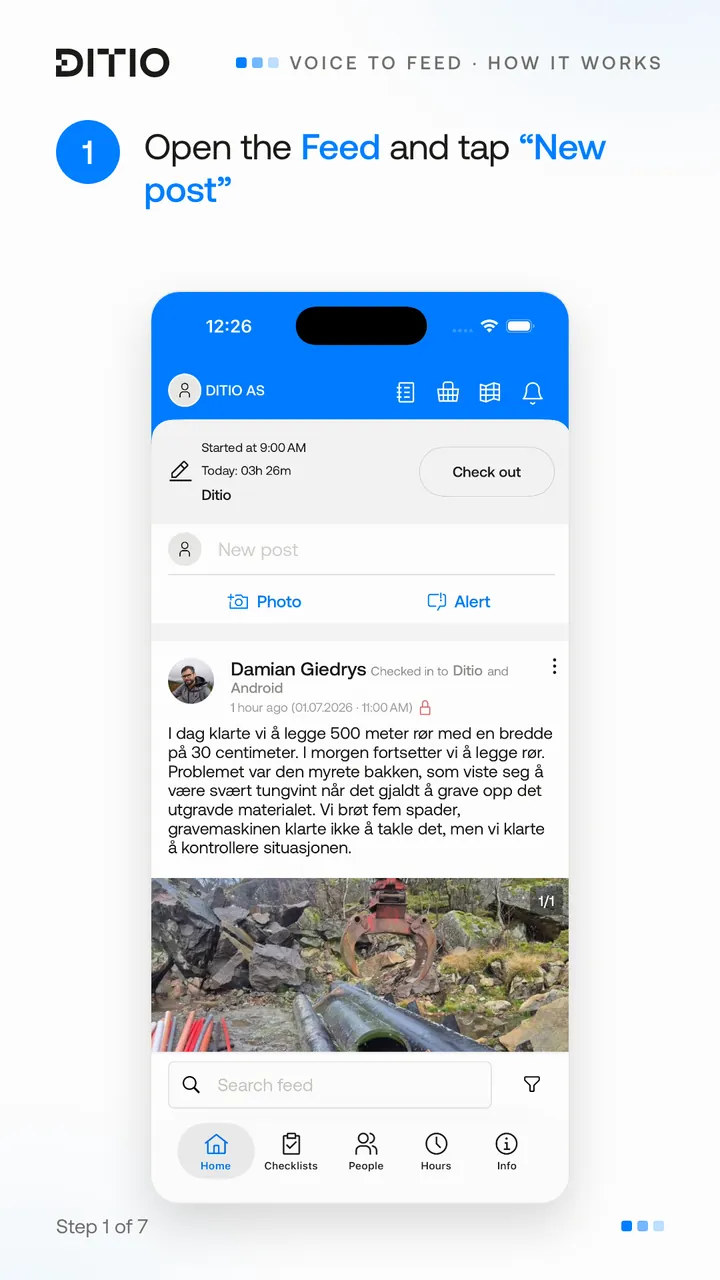
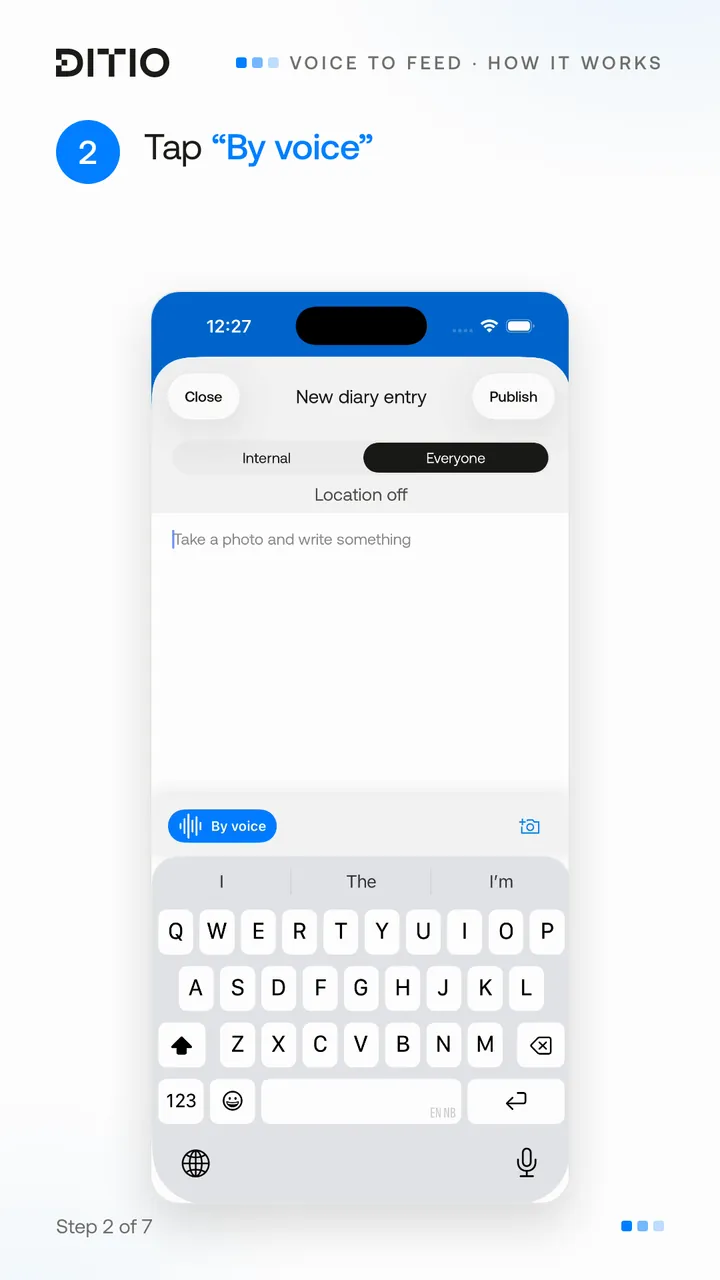
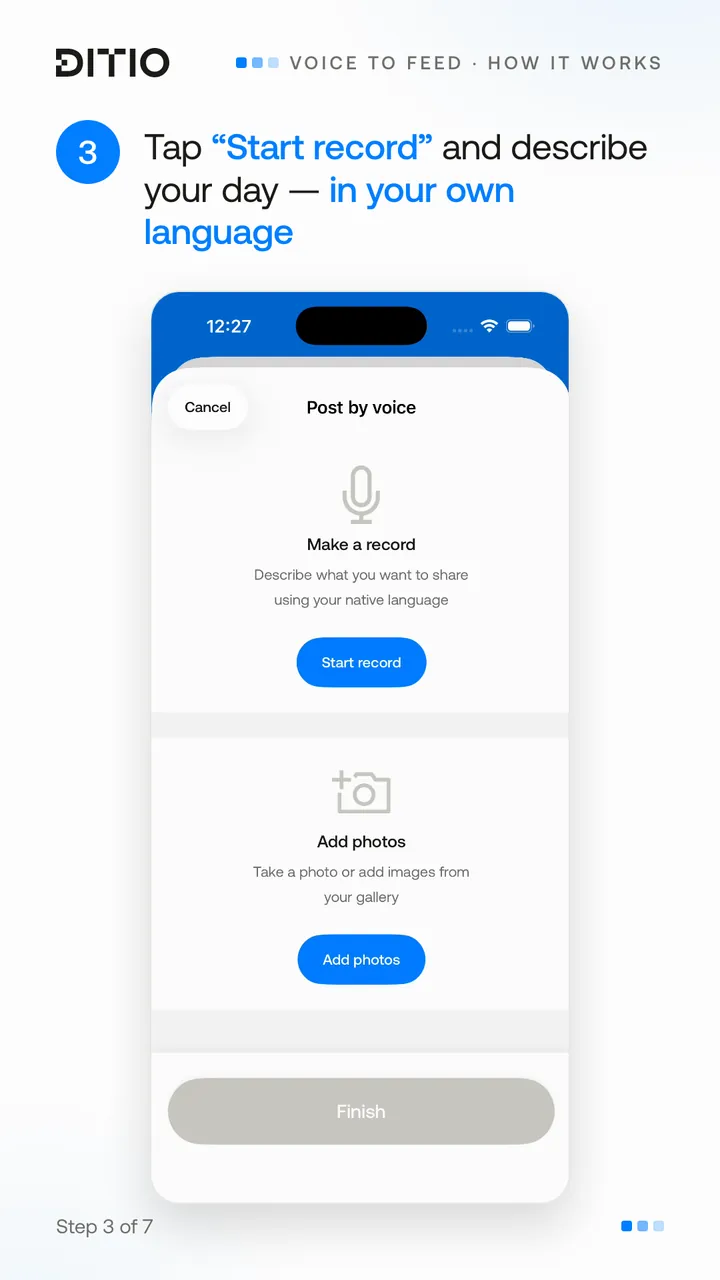
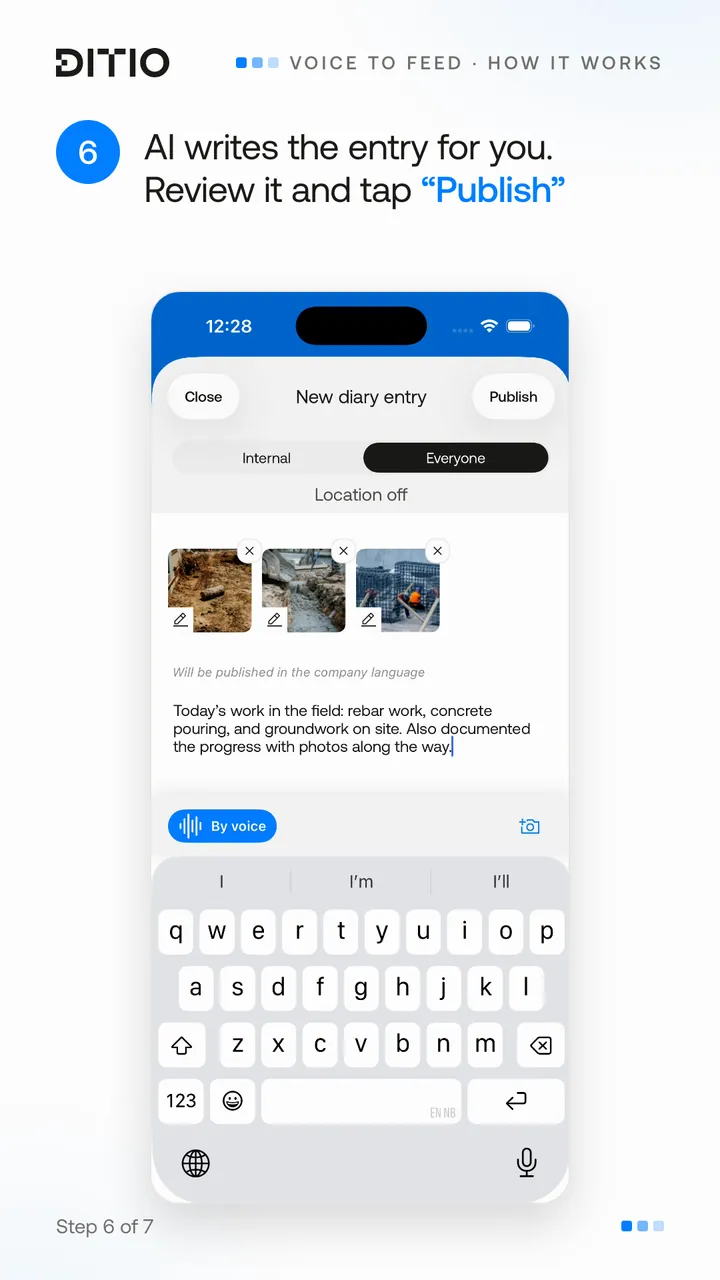
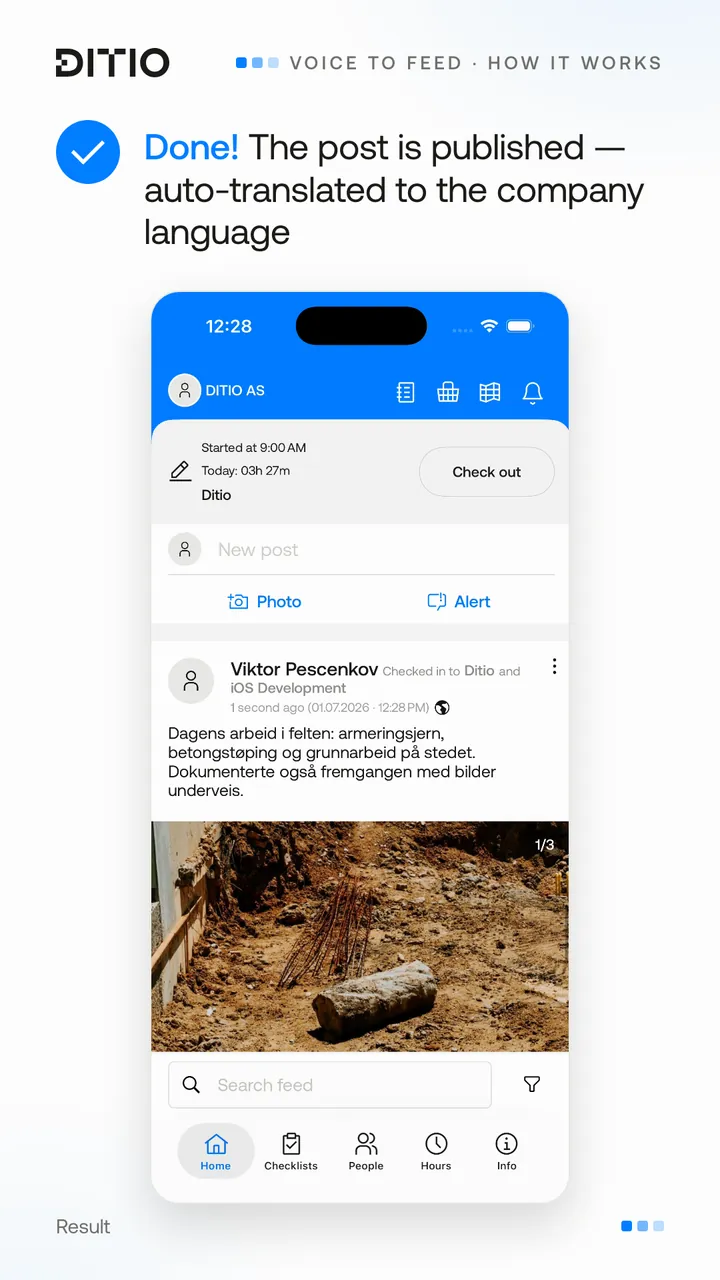
Voice to Feed – voice-to-text for the site diary
Share project updates and write site diary entries without using the keyboard.
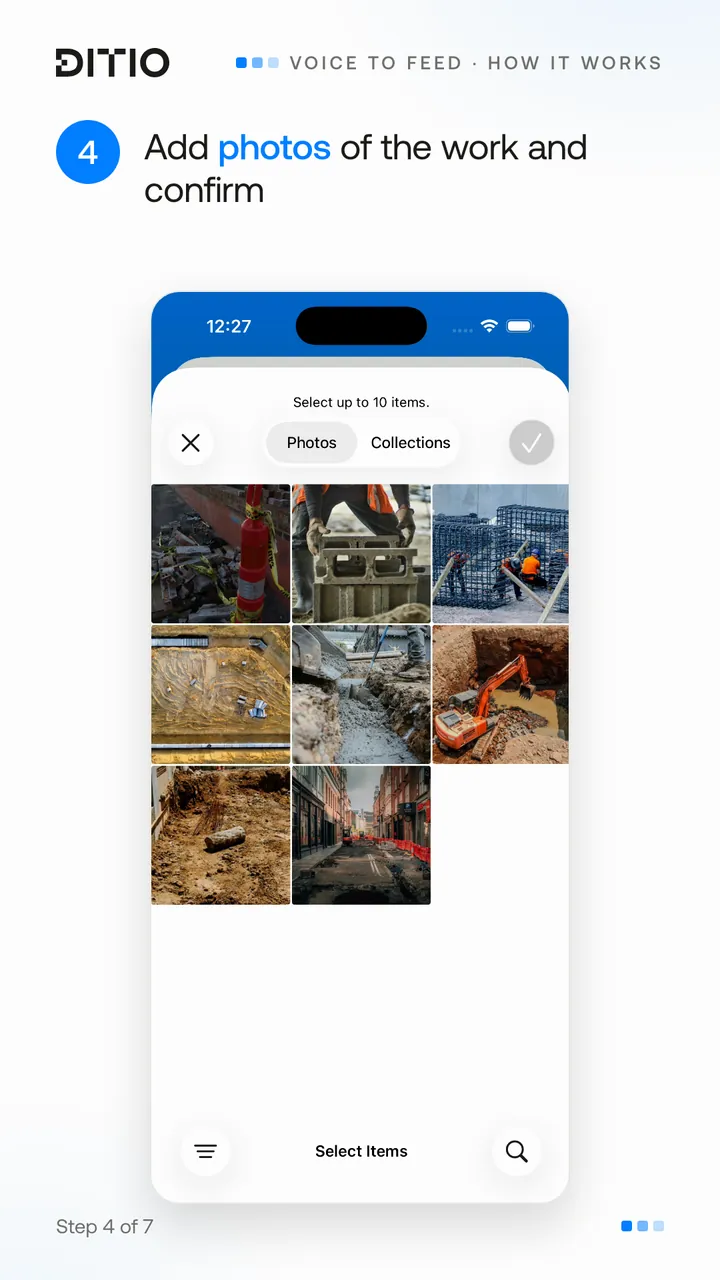
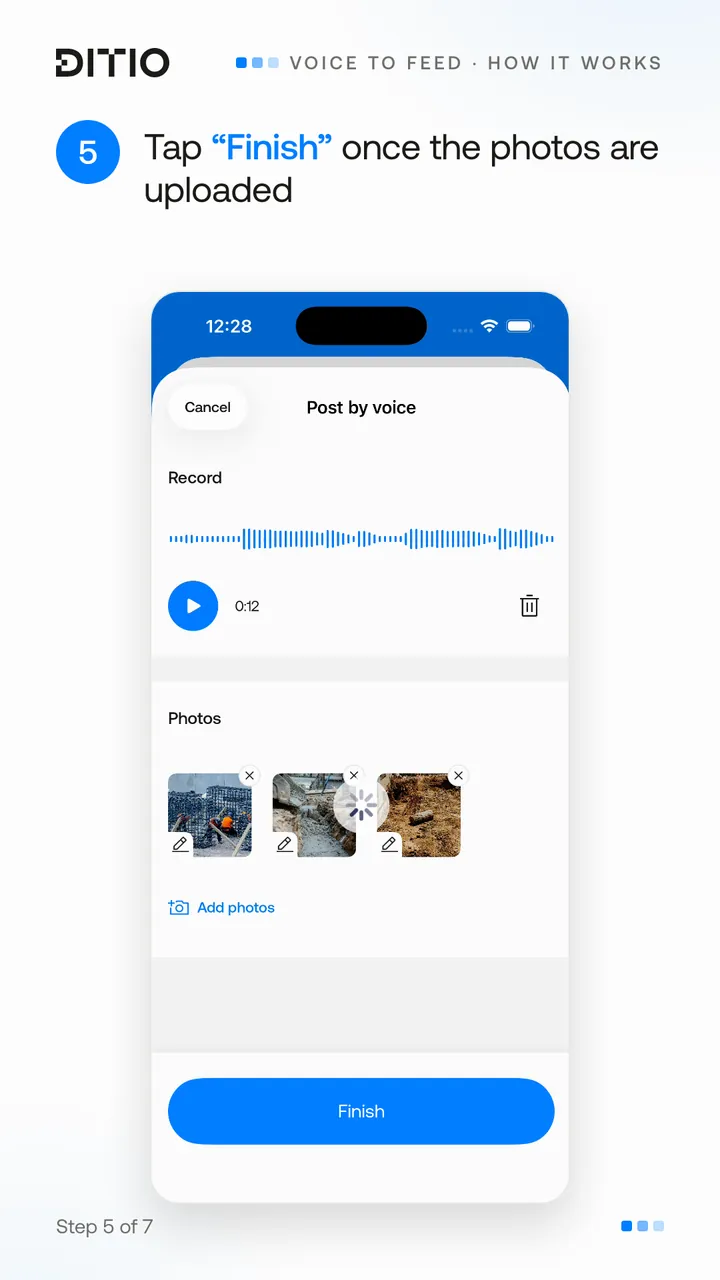
Describe what has been done during the day, attach photos, and let AI write the entry for you. Before publishing, you can easily upload images, read through the text and make any changes.
Perfect for:
- Daily work logs
- Progress updates
- Documentation with photos
- Information for the rest of the project team
Voice to Alert – voice-to-text for deviation reporting
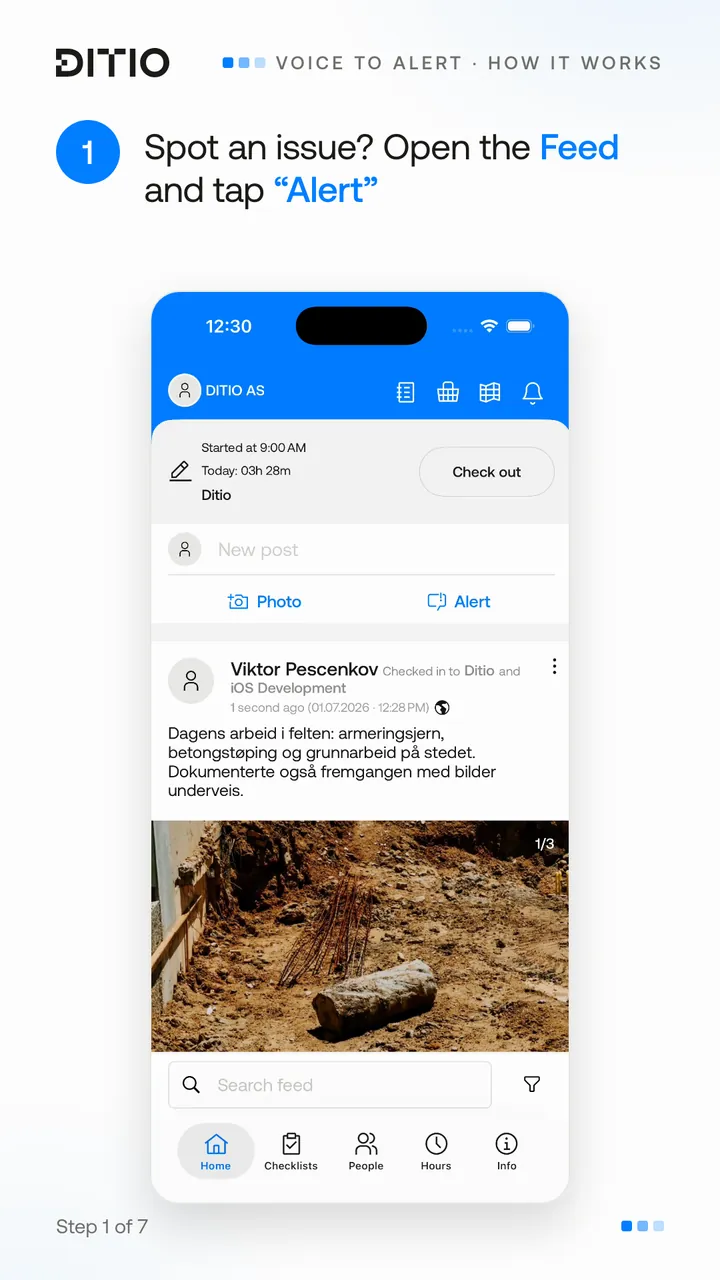
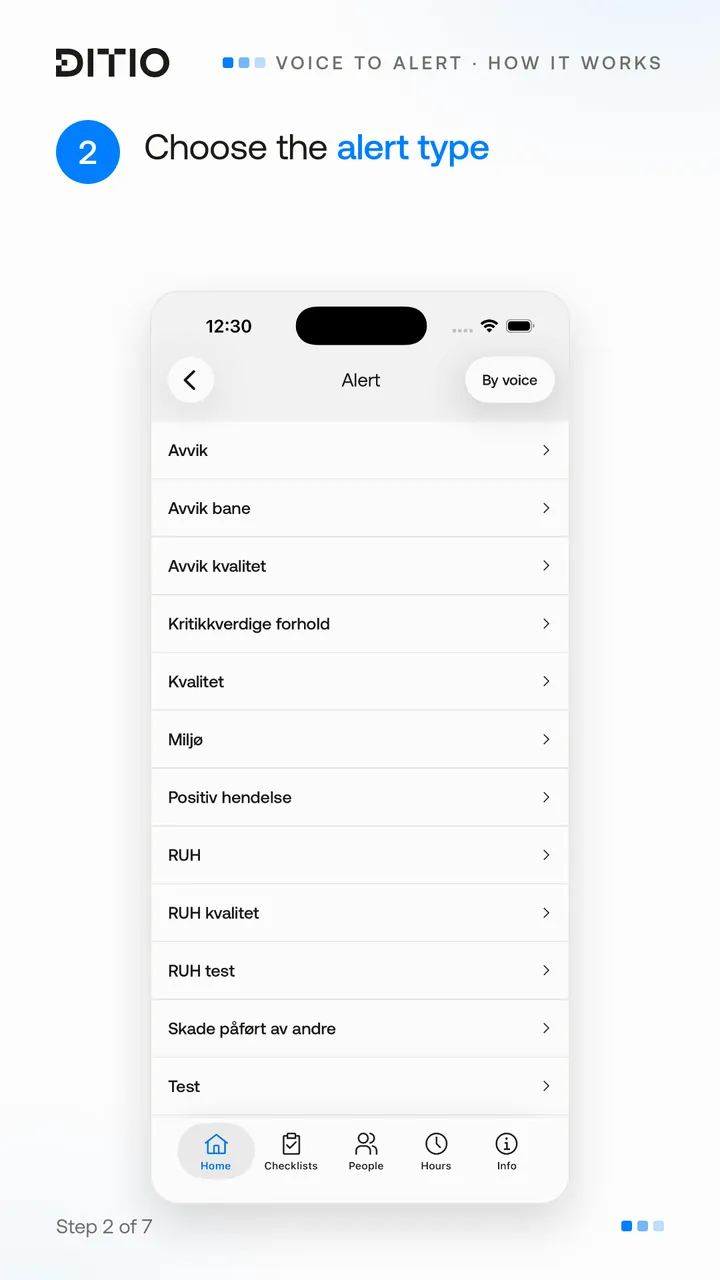
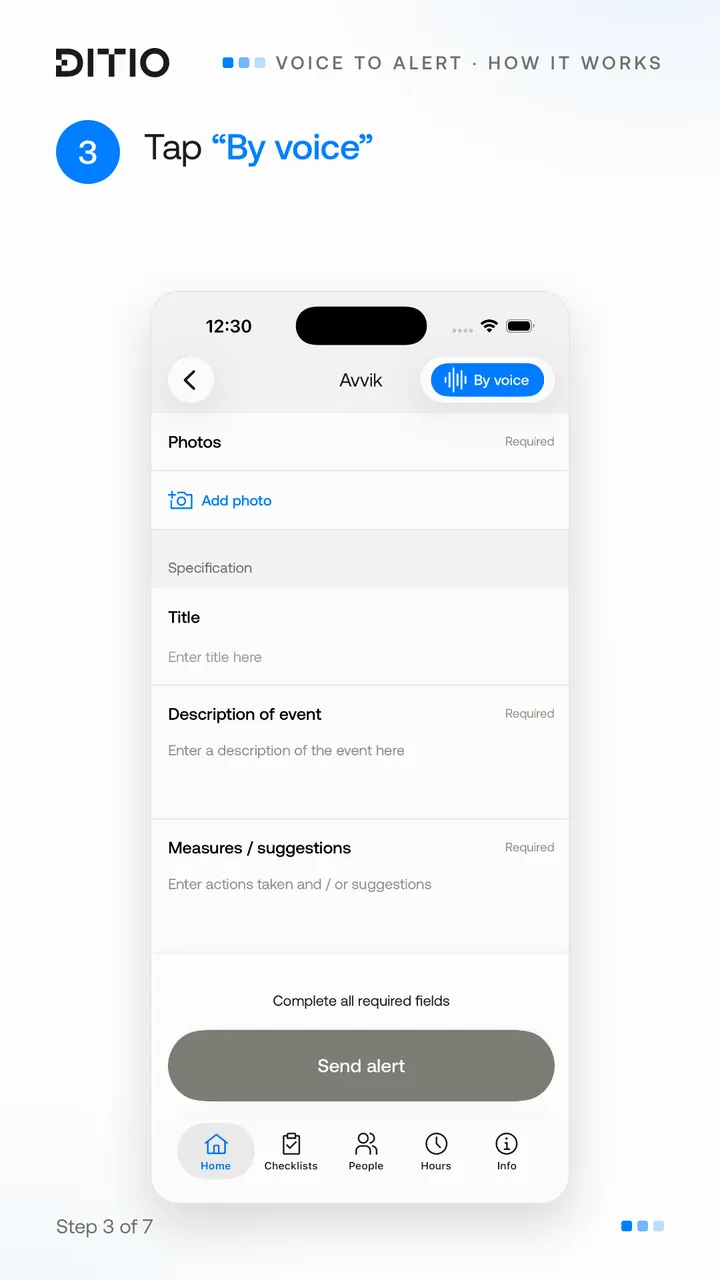
Register deviations and HSE alerts with your voice.
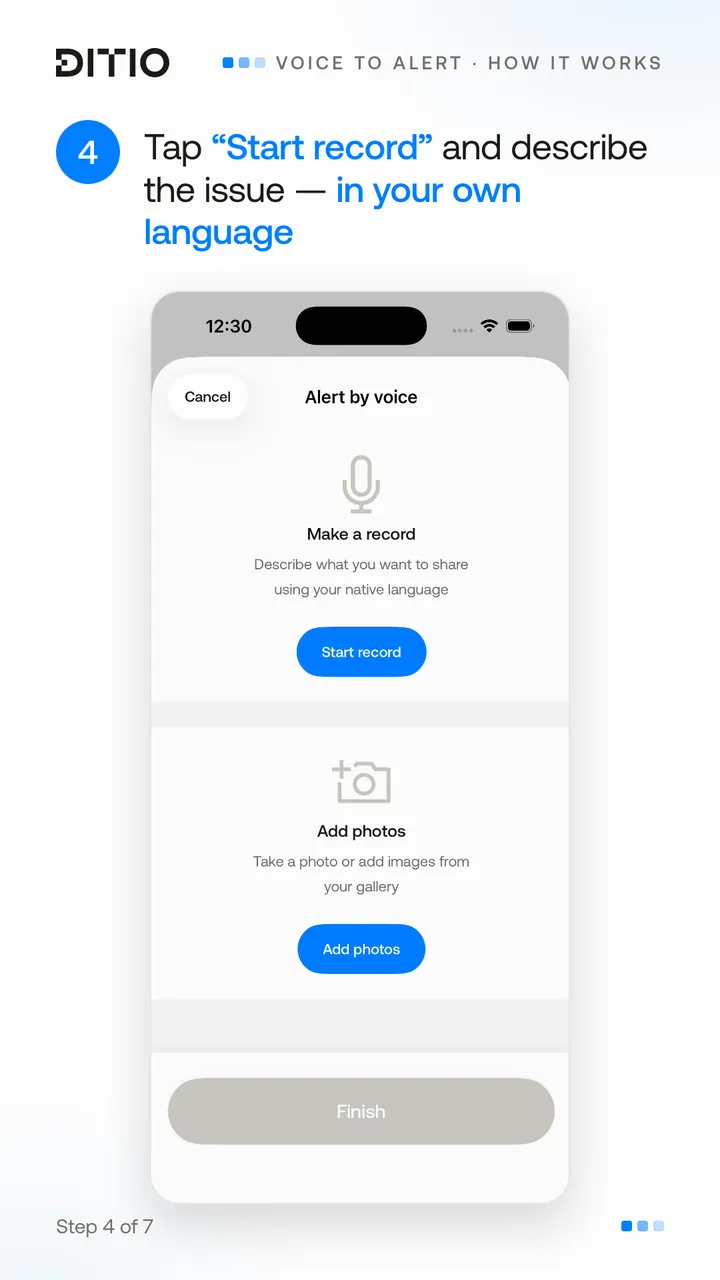
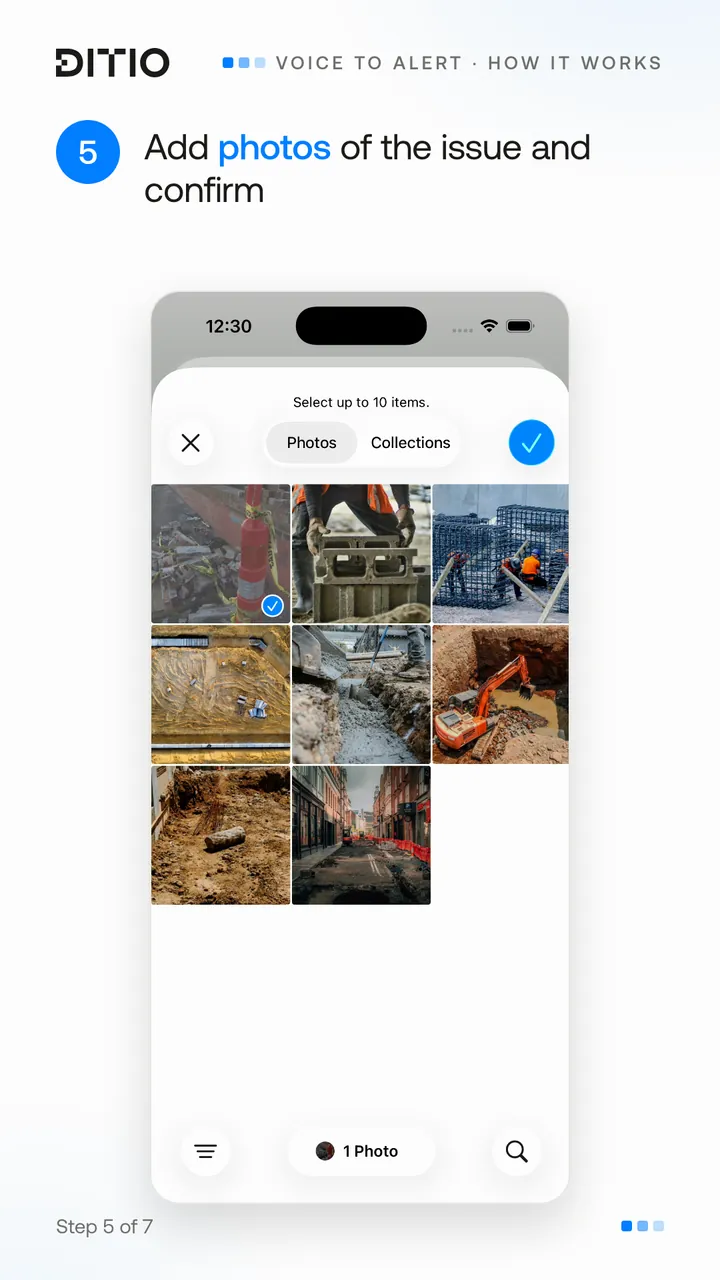
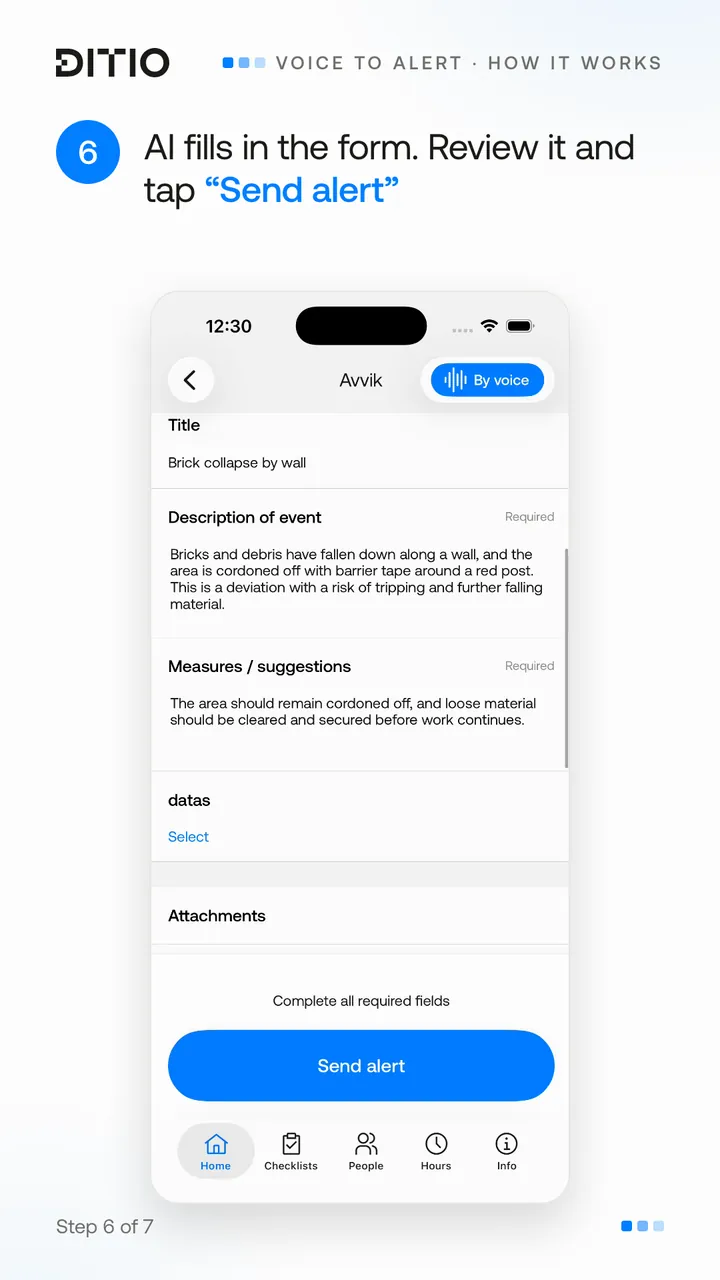
Choose the type of alert, describe the incident the way you would explain it to a colleague – in your own language – attach photos, and let AI fill in the description. You stay in control of the content before the alert is sent.
It makes it easier to document incidents while they are still fresh.
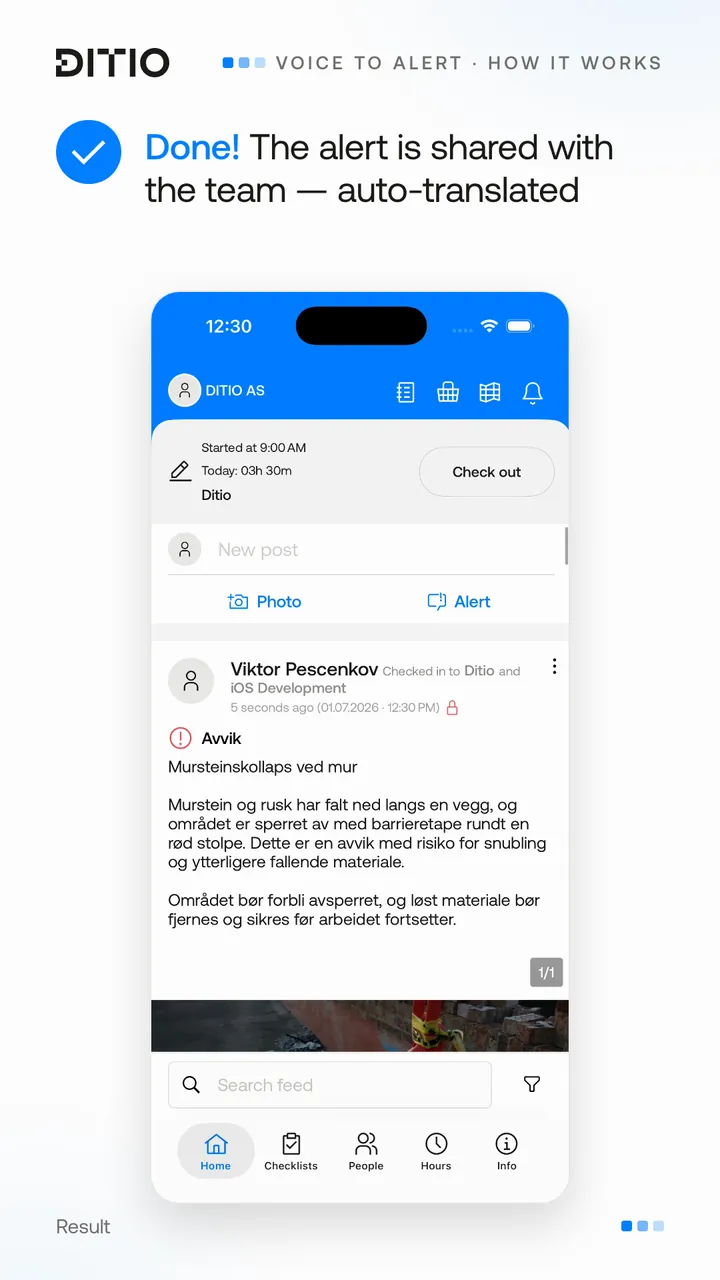
Automatically translated into the company language
For contractors with multilingual project teams, communication becomes even easier.
Entries and alerts are recorded in the preferred language and automatically translated into the company’s standard language before they are shared. That way, everyone on the project gets access to the same information – regardless of the language it was recorded in.
Why voice-to-text means more than just less typing
The biggest gain from voice-to-text isn’t that writing goes faster. The biggest gain is that more of the important information from the field actually gets documented.
When it becomes easier to register a deviation or write a site diary entry, the threshold for doing it right away drops. The information is captured while the event is still fresh, and the project gets a better basis for following up on quality, HSE and progress.
For the project manager, HSEQ lead and management, that means:
- A lower threshold for reporting deviations. Employees can describe the incident verbally in their own language, instead of typing long texts on their phone.
- Faster registration. Documentation happens while the work is ongoing, without long interruptions.
- More precise descriptions. It is often easier to explain an incident in your own words than to write short notes out on site.
- Better documentation. More detail gives a better basis for assessing risk, causes and necessary measures.
- More incidents registered. When reporting requires less time and effort, smaller deviations and observations get reported more often too.
- A better basis for decisions. More and more complete records make it easier to spot patterns, recurring challenges and opportunities for improvement.
- A more inclusive workflow. Voice makes documentation easier also for employees who find long forms or typing on a phone demanding.
Ultimately, this is about more than efficiency. When it becomes easier to document what happens out on the project, the data foundation improves too. That leads to better decisions, stronger HSE work and a culture where important information doesn’t get lost.
Want to see voice-to-text in action?