How to Reduce Truck Idle Time on Construction Sites
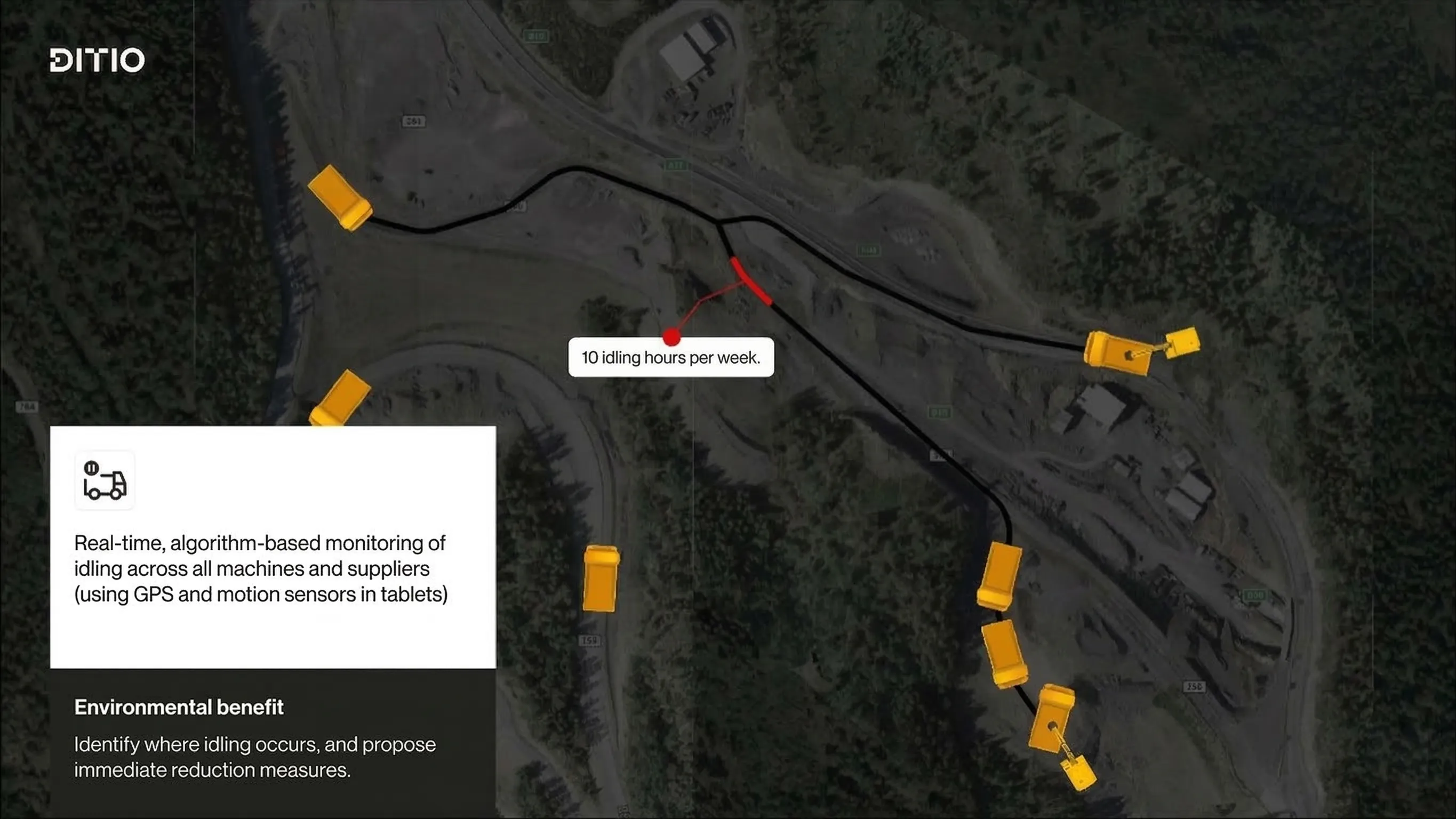
On a 20-truck mass haul, the difference between a 25-minute cycle and a 35-minute cycle is not a rounding error — it is six figures over the course of a project. Most of that extra time is trucks sitting still: waiting in loading queues, stuck behind compactors at the dump zone, or parked up waiting for instructions. And on most sites, nobody is measuring it.
This guide breaks down the six types of idle time that GPS tracking can identify, explains what each one costs, and shows how data-driven contractors are reclaiming thousands of euros per week by addressing the root causes.
The hidden cost of idle time
Idle time is one of the largest hidden costs in construction logistics. A dump truck with a driver costs between EUR 80 and EUR 150 per hour to operate, depending on the market. On a poorly managed site, a truck might spend 30 minutes per cycle waiting in queues — that is EUR 40-75 wasted per cycle. Multiply by 15 cycles per day on a short-haul operation and 20 trucks on site, and the project could be burning EUR 12,000-22,500 per day on idle time alone.
Ask a driver about waiting time and they will shrug — it is just part of the day. Ask a project manager and they will point to the excavator output or tonnage numbers. Neither is tracking the 20 minutes per cycle where a EUR 140/hour truck is burning diesel in a queue. The cost does not show up on any single line item, which is exactly why it gets ignored until the project is over budget.
The six types of idle time
Not all idle time is equal. Different types have different causes and different solutions. GPS-based fleet tracking systems like Ditio Flow automatically classify idle time into six categories:
1. Loading queue idle
What it is: Trucks waiting in line at a loading point for an excavator or loader to serve them.
Common causes:
- Too many trucks assigned to one loading point
- Excavator breakdown or operator break
- Material not ready for loading
- Poor staging area layout causing trucks to block each other
Typical duration: 5-20 minutes per cycle
Solution: Rebalance truck assignments across loading points. If one excavator consistently creates queues, either add capacity or redistribute trucks to less congested locations. Stagger arrival times so trucks approach the loading point at intervals rather than in clusters.
2. Loading idle
What it is: Time the truck spends stationary at the loading point while being loaded, beyond what is necessary.
Common causes:
- Excavator operator distracted or multitasking
- Wrong material type, requiring the excavator to move to a different stockpile
- Communication failures between truck driver and loader operator
- Undersized loading equipment relative to truck capacity
Typical duration: 2-8 minutes beyond the minimum loading time
Solution: Standardize loading procedures. Ensure material is pre-staged at loading points. Use loading instructions to tell excavator operators exactly what material to load and where it goes, eliminating back-and-forth communication.
3. Transit with load idle
What it is: Stops or slowdowns while the truck is carrying a load to the dump destination.
Common causes:
- Traffic congestion on haul roads (other trucks, crossing equipment)
- Road conditions forcing slow travel (mud, steep grades, narrow sections)
- Wrong route taken, requiring turnaround
- Waiting for clearance at road crossings or intersections
Typical duration: 3-15 minutes per cycle
Solution: Optimize haul routes using real-time mapping to identify congestion points. Designate one-way haul roads where possible. Schedule heavy equipment crossings to avoid blocking truck traffic.
4. Dumping queue idle
What it is: Trucks waiting in line at a dump location for space to unload.
Common causes:
- Too many trucks arriving at the same dump area simultaneously
- Compaction equipment blocking the dump zone
- Dump area full, requiring a spotter to direct placement
- Weather conditions making the dump area difficult to navigate
Typical duration: 5-25 minutes per cycle
This is often the worst offender. Dumping queues tend to be longer than loading queues because dump areas are more constrained. Material needs to be placed precisely, compaction equipment needs access, and trucks need room to maneuver and tip safely.
Solution: Open additional dump areas when queues build up. Use GPS data to see queue lengths in real time and redirect trucks to less congested destinations. Plan dump areas with sufficient space for multiple trucks to operate simultaneously.
5. Dumping idle
What it is: Time the truck spends at the dump location beyond the minimum needed to tip the load.
Common causes:
- Waiting for a spotter to verify placement
- Soft ground making it difficult to position the truck
- Need to clean the bed before departing
- Administrative tasks (signing paper tickets, taking photos)
Typical duration: 2-10 minutes per cycle
Solution: Eliminate paper-based documentation at dump points. Automated GPS-verified load documentation removes the need for manual ticketing, saving 3-5 minutes per dump event.
6. Transit without load idle
What it is: Stops or delays on the return trip from dump to loading point (driving empty).
Common causes:
- Taking a longer return route than necessary
- Stopping for fuel, breaks, or personal reasons
- Getting lost or confused about which loading point to return to
- Waiting for instructions on next assignment
Typical duration: 2-10 minutes per cycle
Solution: Provide clear return-route guidance through the driver app. Assign next loading instructions before the truck leaves the dump area so the driver always knows where to go next.
How to measure idle time with GPS data
Traditional time studies require observers with clipboards, standing at specific locations and manually recording what each truck does. This is slow, expensive, and gives you a snapshot of one day at one location.
GPS-based idle time detection works differently. The system knows every truck’s position and speed at all times. It classifies idle time automatically based on:
- Location: Is the truck at a known loading point, dump area, haul road, or somewhere else?
- Speed: Is the truck moving or stationary?
- Duration: How long has the truck been stationary?
- Context: What happened before and after? Was the truck loaded or empty?
This classification happens for every truck, every trip, every day, with no manual effort. The result is a complete picture of where time is being lost across the entire project.
Turning idle time data into action
Having the data is the first step. The key is knowing what to do with it. Here is a practical workflow:
Week 1: Establish a baseline
Deploy the system and let it collect data for a full work week without making any changes. This gives you an honest picture of current performance. Common baseline findings:
- Total idle time per cycle averages 15-40 minutes, depending on how well the site is managed
- Loading and dumping queues account for 60-70% of all idle time
- A few specific locations generate the majority of delays
Week 2-3: Address the biggest bottleneck
Pick the single largest source of idle time and fix it. This is almost always a queue at either the loading or dumping end. Solutions include:
- Rebalancing truck assignments
- Opening an additional loading or dump area
- Adjusting shift schedules to reduce peak congestion
Week 4+: Continuous optimization
With the biggest problem resolved, move to the next one. Use the real-time data to monitor the effect of each change. After a few weeks of adjusting based on the data, site teams typically stop needing to check the dashboard for the obvious problems — they start catching queuing issues before they build up, because they have learned the patterns specific to their project.
Real-world results
Contractors using Ditio Flow’s idle time analysis have documented significant improvements:
- AF Group’s Mo i Rana airport project used real-time GPS data to right-size their truck fleet from day two of operations, significantly reducing idle time and fleet costs
- Projects typically reduce average idle time per cycle by 8-15 minutes within the first month
- The resulting productivity gain is equivalent to adding 2-4 trucks to a 20-truck fleet, without any additional equipment cost
The math is straightforward: reduce idle time by 10 minutes per cycle, multiply by 15 cycles per day and 20 trucks, and you recover 3,000 truck-minutes per day. That is 50 hours of productive capacity recovered every single day.
Summary
Idle time is not a mystery — the causes are well understood and the solutions are straightforward. What has been missing is the ability to measure it continuously, across every truck and every cycle, without deploying observers with clipboards. GPS-based classification solves that measurement problem. Once you can see where time is being lost, the fixes are usually operational, not technical: reassign trucks, open another dump area, drop the paper tickets.
The contractors who measure idle time consistently find that the biggest gains come from the simplest changes. The technology is not complicated. The results are substantial.
Explore Ditio Flow or book a demo to see idle time analysis on your projects.