 Ditio Core
 Manage your project with up-to-date data from the field
Get a clear view of what is actually happening on site. Take action while you can still influence costs, progress, and results.
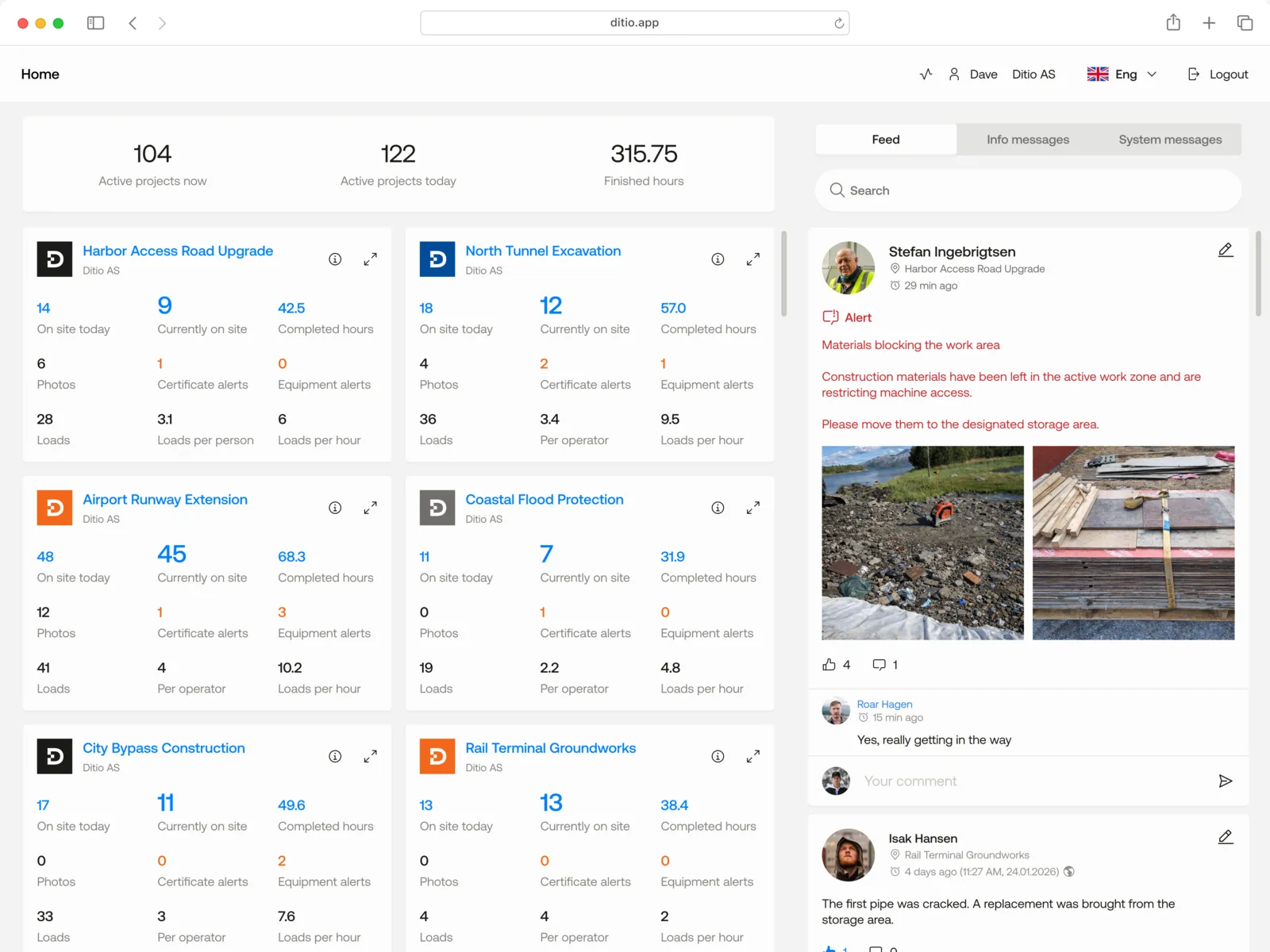
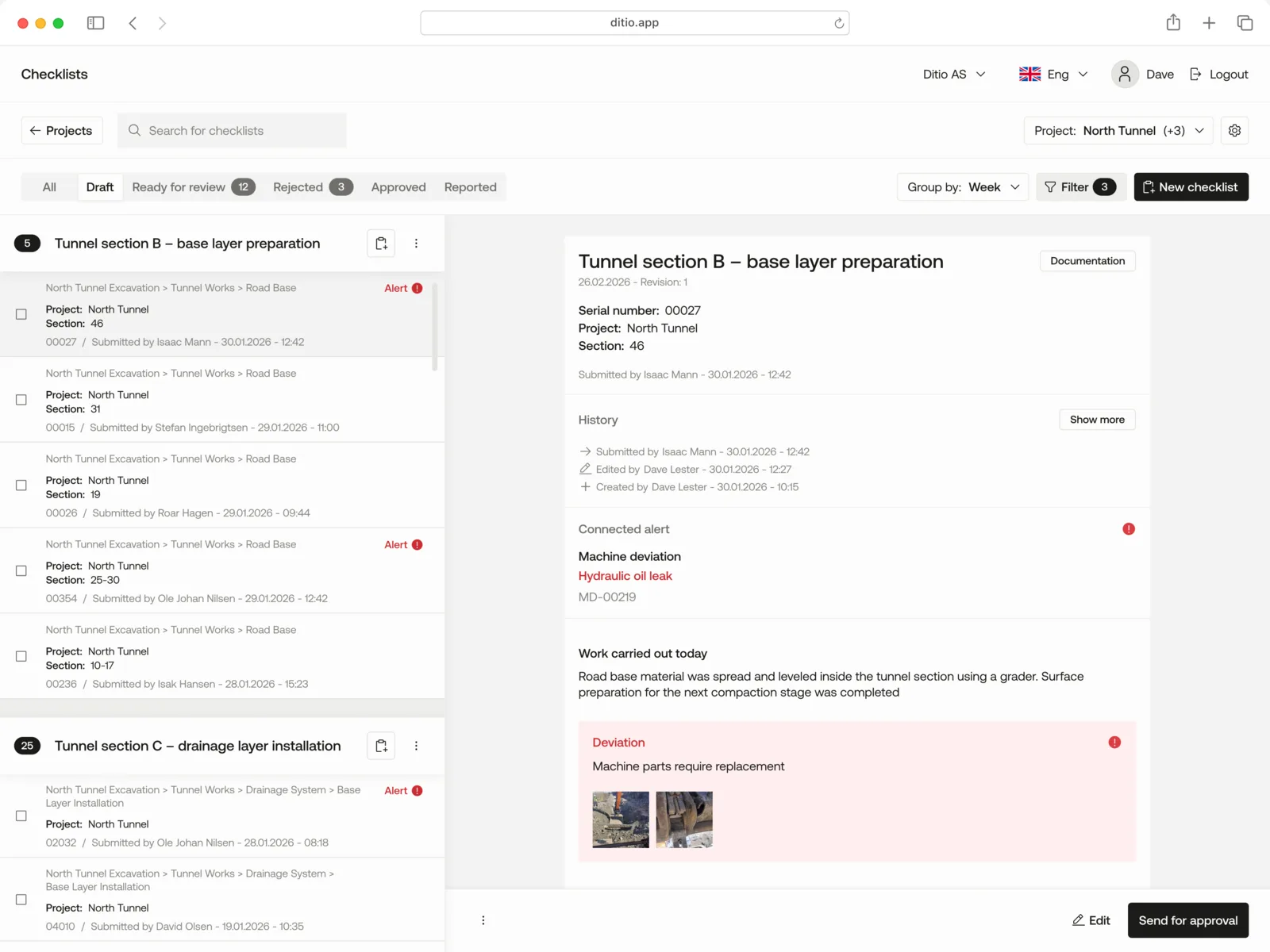
Simple in the field. Valuable for project management.
Ditio makes it easy to log hours, document progress, complete checklists, and report deviations while the work is underway. The information is structured and linked to the right project and work order, so project management gets an up-to-date picture of what is actually happening.
For those working in the field
Less admin and simpler logging.
For project management
Up-to-date information on progress, activity, and deviations.
For management
A better basis for tracking risk, project portfolio, and profitability.
Know who is where
Real-time crew management. See which team members are on which projects, where they are working, and which work orders they are assigned to. Check-in and logging happen easily in the field.
This gives project management an up-to-date overview of staffing and a better basis for planning and allocating resources.
Track hours as the work happens
Digital time tracking. Workers log hours directly to the right project and work order — easily from their phone. Task switching, overtime, and break logging happen automatically, and approved hours go straight to payroll.
Project management gets a continuous overview of where hours are spent, with less after-the-fact logging and a better basis for following up the project.
Catch and follow up on HSEQ deviations earlier
Follow up on HSEQ while the work is underway. HSEQ, job safety analysis (JSA), checklists, and deviations. Carry out job safety analyses (JSA) and checklists, log near-miss/incident reports, and report deviations directly from the field. Photos and documentation are added where the work happens.
HSEQ and project management get a continuous overview of risk, deviations, and measures, making it easier to follow up and document HSEQ work throughout the project.
Document what happens
Photos, work diary, and project documentation. Document progress, completed work, changes, and events with photos and information directly from the field. Photos, work diary, and other documentation are linked to the right project and work order, with GPS location where relevant.
That makes it easier to trace back what has been done, follow the project's development, and ensure a better documentation trail along the way.
The data project management needs — gathered straight from the field
Offline mobile app
Log hours, documentation, and information in the field — even without cell coverage. Data syncs automatically when you are back online.
Work orders and progress
Organize the work in flexible work orders linked to activities and contract items. Track completed work and progress at the right level in the project.
Skills and certifications
Keep an overview of skills, training, and certifications for your personnel, so you can more easily see who has the right qualifications for the work to be done.
Subcontractors
Bring your own employees and subcontractors together in the same project. Hours, documentation, and activity are logged the same way, so project management gets one unified overview.
Automatic overtime calculation
Overtime, shift differentials, and breaks are calculated automatically according to your company rules. That means less manual work and a more reliable basis for payroll.
Integrations
Connect Ditio to payroll, finance, analytics, and other systems you already use. Share hours and project data onward to payroll, finance, Power BI, and other systems — without unnecessary double entry.
Communication and notifications
Send project updates, safety messages, and important notices directly to those working in the field. That way everyone gets the right information when they need it, without communication getting lost in other channels.
Resource planning
Get an overview of personnel and resources across projects. Plan ahead, allocate capacity where it is needed, and make it easier to handle changes along the way.
What our customers say
“The Ditio app is rock-solid and easy to use.”
Joakim Hetland
CEO, Bjelland AS
The whole site. One project picture.
Core and Flow capture data from different parts of the site — giving project management a more complete, up-to-date picture of what is happening.
Ditio Core
People and work
- Hours
- Work orders
- HSEQ
- Documentation
- Resources

Ditio Flow
Machines and production
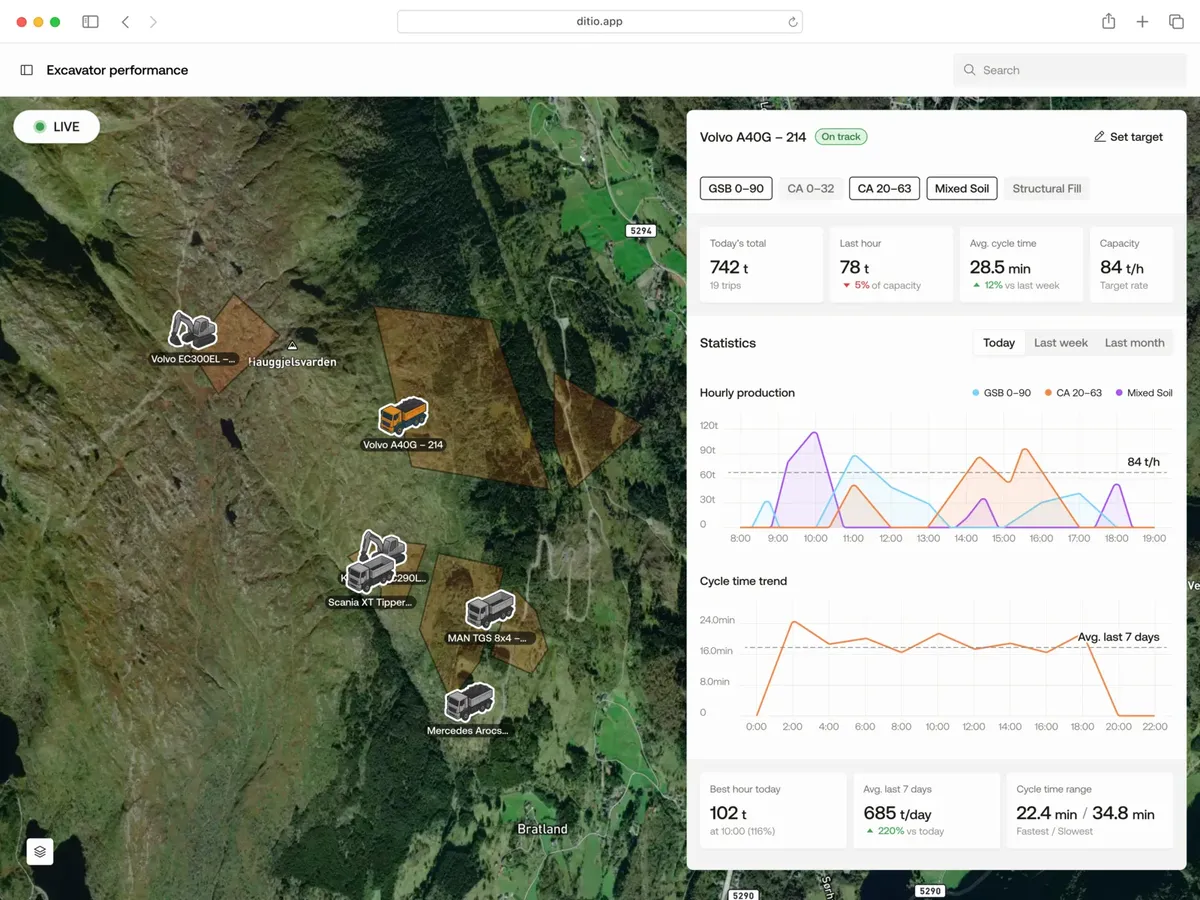
- Mass haul
- Materials
- Production
- GPS
Core + Flow
One up-to-date situational picture
From people and work in the field to machines and production — unified information that gives project management better oversight of what is happening.
Frequently asked questions
What is Ditio Core?
Who is Ditio Core for?
How long does it take to get started with Ditio Core?
You get guided onboarding and help to set up the solution around your projects and work processes.
Does Ditio Core work offline?
What is the difference between Ditio Core and Ditio Flow?
Together, Core and Flow connect data from people, machines, and production, giving project management a more complete and up-to-date picture of what is happening on site.
How is Ditio Core different from other digital systems for construction?
That makes it easier to track progress, spot deviations earlier, and make good decisions while it is still possible to influence costs, progress, and results.
Ditio can also be integrated with other systems, so project data can be used further in payroll, finance, and analytics, among others.
Ready to get better control of your project?
See how Ditio Core can help you gather information from the field, catch deviations earlier, and manage your project with a better basis for decisions.